The most useful first video is short, specific, and easy to review. This guide takes you from a single audience question to a script, a visual plan, and a final accuracy check without assuming that any particular editor offers the same controls.
A clear script, a visual decision, and a deliberate review do more work than adding effects to an unclear message.
1
Write for one viewer
Name the person who will watch and the one thing they should know or do afterward. Draft a spoken opening, two or three supporting points, and a closing action. Read it aloud: sentences that look fine on a page can sound crowded in narration. Remove background details the viewer does not need.
2
Match each point to a visual
Decide whether a presenter, a product image, a diagram, or on-screen text best carries each idea. Use a presenter to deliver context, not to substitute for evidence. Keep labels brief enough to read while the narration continues, and identify any image or claim that needs permission or a source.
3
Review as a viewer
Watch the whole draft with sound, then check it without sound. Listen for pronunciation and pacing; inspect captions, names, dates, and visual timing. Ask someone unfamiliar with the project to describe the takeaway. If they cannot, revise the script before polishing transitions.
Next decisions
Choose a first project, then follow the steps
Pick a narrow format before opening an editor. These related guides can help you choose a topic and judge what a useful finished example looks like.
For a first draft, describe what the viewer should see at each point rather than trying to design every frame at once.
Presenter concept
Instructional scene
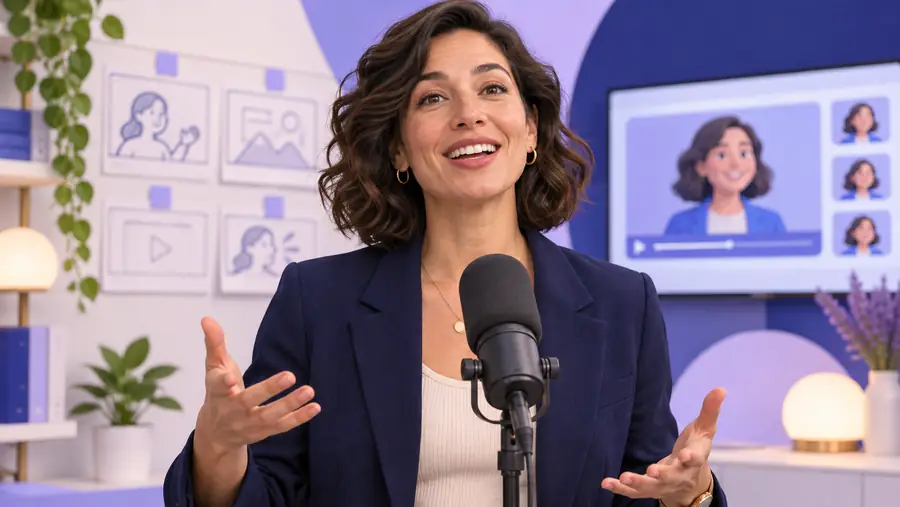
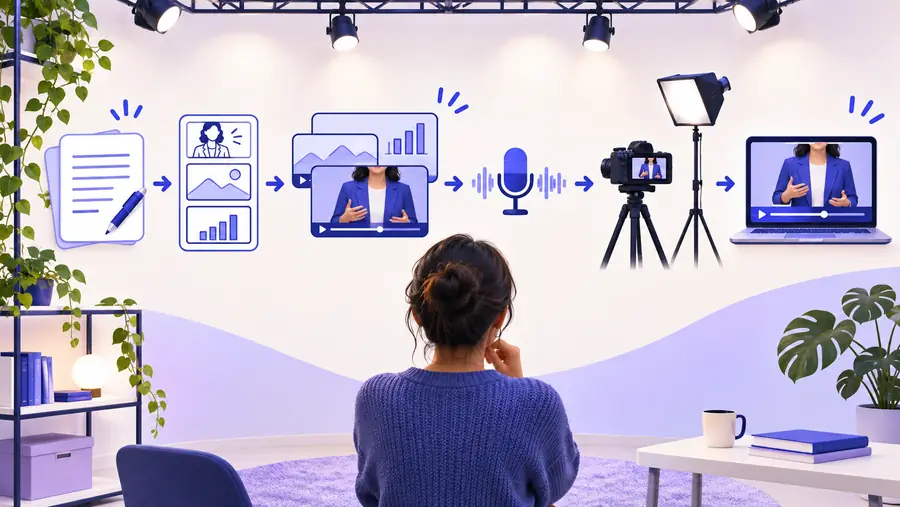
These are separate illustrative images, not a documented before-and-after export. Use the comparison to ask whether your visuals clarify the lesson: a person speaking can introduce a topic, while a focused training scene should help explain the actual task.
Practical boundaries
Know what a tutorial cannot verify for you
A synthesia tutorial can give you a repeatable process, but your draft still needs checks that depend on its subject, audience, and production tool.
It cannot confirm every editor control
Interfaces, available voices, media options, and export settings can change. Do not build a production deadline around a control you have not seen in the tool you intend to use.
Workaround
Open the current editor first, confirm the controls you need, and make a small test draft before planning a longer video.
It cannot establish factual accuracy
A fluent script or convincing narration may still contain a wrong figure, name, instruction, or implied promise. Presentation quality is not evidence that the information is correct.
Workaround
Check claims against authoritative sources and ask a subject-matter reviewer to approve the final wording.
It cannot grant usage rights
A video workflow does not give you permission to use a person's likeness, a brand mark, a soundtrack, or third-party footage.
Workaround
Keep a record of permissions and use assets whose terms fit your intended distribution.
It cannot guarantee accessibility
Readable text, correct captions, and understandable pacing require human inspection. Automatic output should not be treated as a finished accessibility review.
Workaround
Review captions against the audio and test the video on a small screen and without sound.
Drafting choices
Compare the plan with the finished draft
Use these checkpoints to see which decisions belong in the script and which require watching the rendered video.
Before creation
After the first draft
Audience
Before creation
Write down who needs the message and what they already know.
After the first draft
Ask a viewer from that audience what they understood.
Opening
Before creation
State the problem or task in the first spoken lines.
After the first draft
Check whether the opening makes sense without added context.
Narration
Before creation
Read the script aloud and simplify long sentences.
After the first draft
Listen for pace, emphasis, and mispronounced names or terms.
Visuals
Before creation
Assign each key point a useful image, scene, or short label.
After the first draft
Check that visuals appear when the corresponding point is spoken.
Claims
Before creation
Mark statements that need a source or specialist approval.
After the first draft
Verify the exact wording viewers will hear and see.
Access
Before creation
Plan captions and avoid relying on color alone for meaning.
After the first draft
Check captions, text legibility, and comprehension without sound.
Make a test draft
Put your short script to work
Try the workflow on one small video
Start with a single question your audience asks often. Prepare a brief script and a visual outline, then explore the linked video-creation destination to see which production options are currently available. Treat the first result as a draft to review, not a finished message to publish immediately.
The best starting tutorial teaches a small, complete workflow: define a viewer, write a short spoken script, choose supporting visuals, and review the draft. Prefer a guide that distinguishes planning advice from tool-specific instructions, because interfaces and available features can change.
Start with the message and script. A precise prompt can help express an idea, but it cannot repair an unclear audience goal or an inaccurate claim. Once the spoken wording works, describe the visuals and tone you want to test.
Check when its screenshots or instructions were made, then compare any named controls with the current product interface. Be cautious with guides that promise a particular export, voice, or workflow without showing where that option is available today.
Watch it from beginning to end and verify every name, date, number, and instruction. Review pronunciation, visual timing, captions, and rights to any included assets. If the topic affects health, safety, or another consequential decision, get qualified review before distribution.